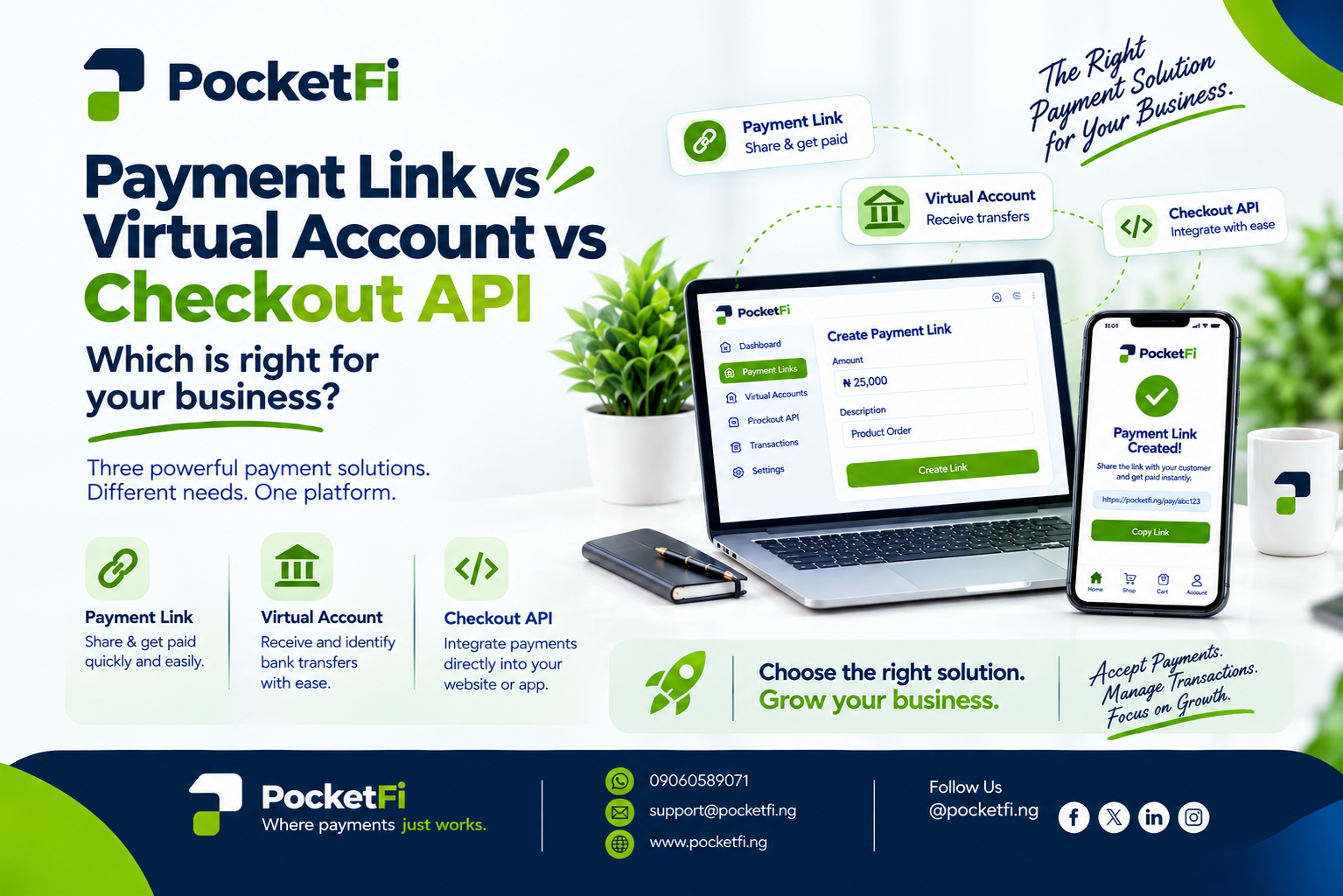
Payment Link vs Virtual Account vs Checkout API: Which Is Right for Your Business? Choosing the right way to collect payments can make a big difference to how easily customers pay and how efficiently a business manages transactions. PocketFi provides different payment tools designed for different business needs. Among them are Payment Links, Virtual Accounts, and Checkout API. But what is the difference between them, and which one fits your business model? Let’s break it down.
1. Payment Link: Simple Payments Without a Complex Setup A Payment Link is a shareable link that allows your customers to make a payment directly. It is particularly useful for businesses that sell through WhatsApp, Instagram, Facebook, email, or other channels and want an easy way to request payment. Instead of sending customers bank details manually, you can send them a payment link. How it works Create → Share → Customer Pays → Track For example, if you sell a product for ₦25,000, you can create a payment link and send it directly to the customer. The customer opens the link and proceeds with the payment. PocketFi lists Payment Links among its business payment solutions and describes them as a way to create links that customers can use to pay directly. Who is it for? Payment Links can be useful for: Small businesses Online vendors Freelancers Service providers Social-media businesses Businesses that don't have a dedicated checkout system Creating a Payment Link on PocketFi The exact dashboard workflow can depend on the current PocketFi dashboard interface. PocketFi's public website confirms the Payment Links feature, but its publicly available documentation does not currently publish a complete step-by-step dashboard guide for creating one. So the safest workflow to describe is: Log in to your PocketFi business account. Navigate to Payment Links on the dashboard. Select the option to create a new payment link. Enter the required payment information, such as the amount and relevant transaction details. Review the details. Generate the payment link. Copy and share the link with your customer. Monitor the resulting transaction from your PocketFi account. If PocketFi's dashboard provides additional fields or a different button name, those should be followed according to the live dashboard.
2. Virtual Account: Give Customers a Dedicated Account to Pay Into A Virtual Account works differently from a payment link. Instead of sending a customer a web link, a business can provide a dedicated bank account number for receiving payments. This can be particularly useful when a business needs to identify payments from individual customers or regularly collect transfers. PocketFi's developer documentation states that its platform can generate dedicated virtual bank accounts for customers. How it works Generate Account → Assign to Customer → Customer Transfers → Track Payment For example, an online business could assign a dedicated virtual account to a customer. When that customer makes a bank transfer to the account, the business can use the associated account information to identify the payment. Who is it for? Virtual Accounts can be useful for: Businesses with recurring customers Platforms that need customer-specific accounts Marketplaces Fintech products Businesses collecting bank transfers Businesses that need easier payment reconciliation PocketFi also provides transaction history and real-time payment notifications through its infrastructure.
3. Checkout API: Build Payments Directly Into Your Product The Checkout API is designed for businesses that want to integrate payments directly into a website, application, or digital product. Rather than manually sending payment links to customers, developers can integrate PocketFi's payment infrastructure into their product. PocketFi's developer documentation provides an Initialize Payment endpoint that creates a payment session and returns a hosted checkout URL to which the customer can be redirected. How the Checkout API works A typical flow is: Customer places order → Your system initializes payment → PocketFi creates checkout session → Customer pays → Your system verifies payment When initializing a payment, PocketFi's API documentation requires information including the customer's name, phone number, email, business ID, amount, and a redirect URL. After payment, PocketFi recommends verifying the transaction server-side before fulfilling an order. Who is it for? Checkout API is particularly relevant to: E-commerce websites Mobile applications SaaS platforms Fintech applications Subscription platforms Businesses with developers or technical teams
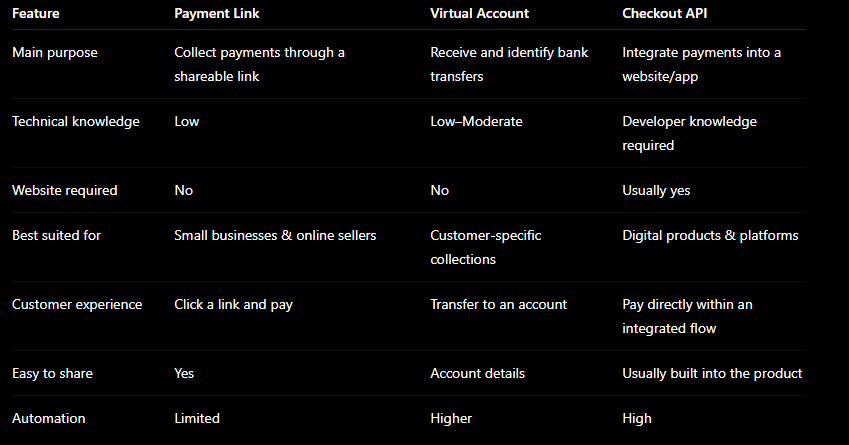
So, Which One Should Your Business Use? The answer depends on how your business collects payments. Choose Payment Links if: You sell through social media, WhatsApp, email, or direct messages and want a simple way to send customers a payment request. Your goal: Make it easy for customers to pay. Choose Virtual Accounts if: You need dedicated account numbers for customers and want to identify incoming bank transfers more easily. Your goal: Organize and reconcile customer payments. Choose Checkout API if: You have a website, mobile application, or digital platform and want payments integrated into your product. Your goal: Build payments directly into your customer experience. And businesses don't necessarily have to choose only one. Depending on their operations, a business can use different payment tools for different payment scenarios.
Comments (0)
No comments yet — be the first to share your thoughts.